Projects: A Governed Space for Collaboration
As data and AI initiatives grow, assets become scattered, business context is lost, and managing who has access to what becomes a significant challenge. Projects are Arkham's answer to this complexity. A Project is our central, collaborative workspace where you organize all the resources for a specific business outcome.
For a builder, a Project is our launch pad that transforms a collection of technical assets into a cohesive, understandable, and governed business solution.
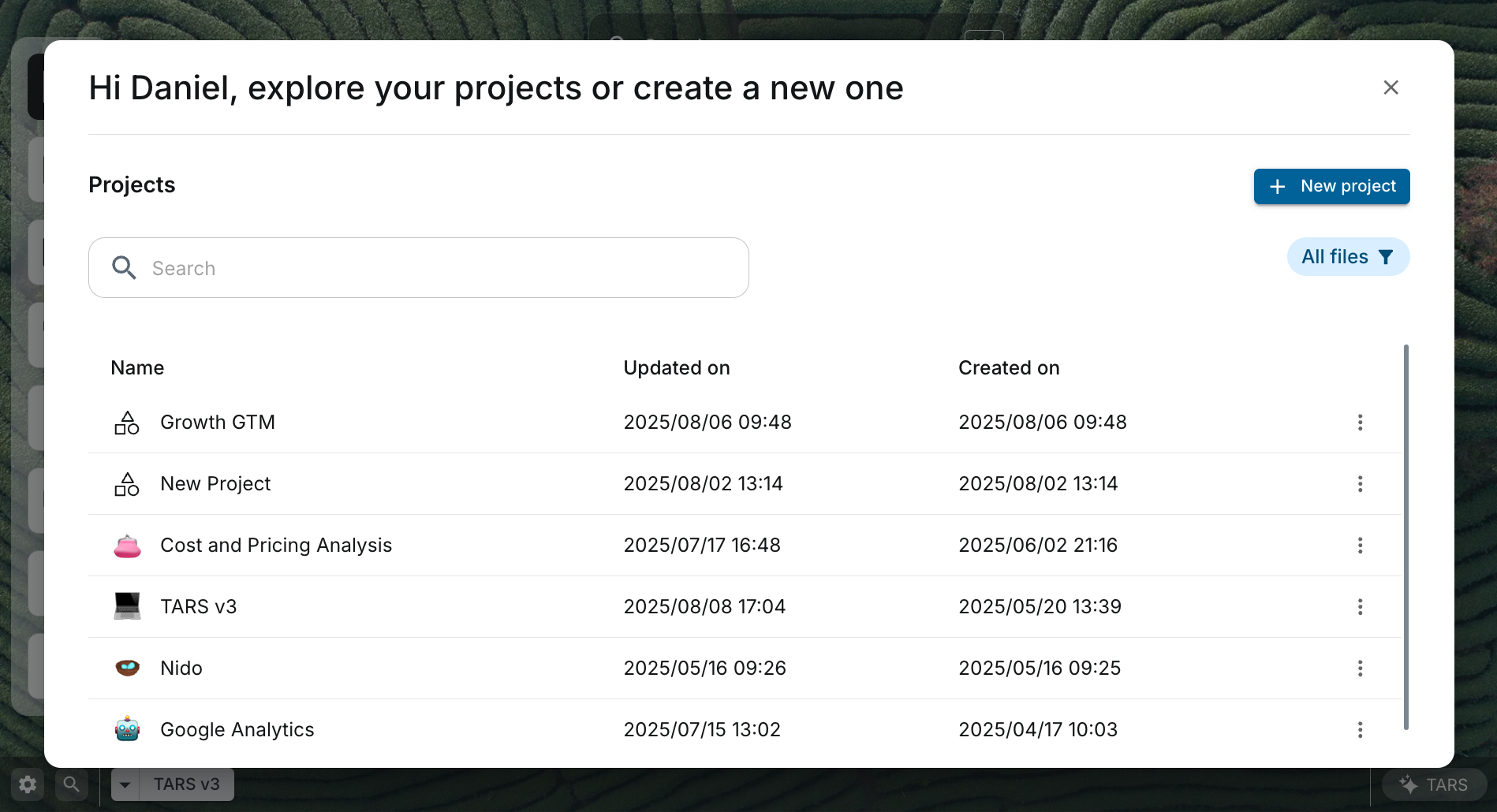 Our Projects dashboard, the central launchpad where builders organize all data assets, models, and documentation into a single, governed workspace for collaboration.
How Projects Bring Order to Your Work
At its core, a Project groups together disparate resources, linking them with business context and a flexible permissions model. This creates a secure, collaborative, and auditable environment where access can be managed broadly at the project level or granularly for specific assets.
graph TD
    subgraph "Project: A Unified Workspace"
        direction TB

        subgraph "Business Context"
            A["""Project Canvas
Goals, findings, and documentation"""]
        end

        subgraph "Technical Assets"
            B["""Project Files
Datasets, pipelines, models, etc."""]
        end

        subgraph "Governance"
            C["""Permissions ACLs
Owners, Editors, Viewers """]
        end

        A -- "Provides Context for" --> B
        C -- "Governs Access to" --> A & B
    end

    classDef context fill:#F3E5F5,stroke:#8E24AA
    classDef assets fill:#E3F2FD,stroke:#1976D2
    classDef governance fill:#E8F5E9,stroke:#388E3C

    class A context
    class B assets
    class C governance
🤖 AI-Assisted Project Management with TARS
As your AI co-pilot, TARS can streamline the management of your Projects. Instead of navigating the UI, you can use natural language to find resources, check permissions, and even get summaries of project activity. For example
"TARS, find all datasets in the Q4 Financial Reporting project."
"TARS, show me the latest activity in the Customer Churn project."
Key Features
- A Unified Workspace: A Project provides a single home for every asset related to an initiative. Our Project Canvas acts as a Notion-style document for goals, findings, and collaboration, while the Project Files tab provides a complete, filterable inventory of every dataset, pipeline, and model.
- Inherited Permissions: Governance is radically simplified by managing access at the Project level. Users assigned as
Owner,Editor, orViewerreceive a baseline of permissions for resources within the project. For more granular control, Access Control Lists (ACLs) can be applied to individual assets, ensuring users have precisely the access they need. - Enhanced Discoverability and Context: By grouping assets by business purpose, Projects make it easy for team members to find what they need. Our Project Canvas ensures that the "why" behind the work is documented directly alongside the technical assets, accelerating onboarding and collaboration.
- Full Auditability: With all resources and user activity scoped to a Project, it becomes simple to create a complete, auditable trail for compliance and review.
Related Capabilities
- Governance Overview: Learn how Projects fit into our broader governance framework.
- Data Catalog: Discover and add datasets to your Project.
- Pipeline Builder: Build and manage pipelines that are owned by your Project.
- TARS: Your AI co-pilot for accelerating project setup and management.